
Computers
Quick Intro
Learning about computer hardware can be both hands-on and engaging through activities like disassembling and reassembling a computer, identifying and comparing components such as the CPU, RAM, storage drives, and power supply, and building a simple PC from parts. Other activities include upgrading hardware, exploring how peripherals connect and function, and using diagrams or interactive kits to understand how data moves through a system. Doing these activities with family or friends encourages teamwork, problem-solving, and discussion as participants troubleshoot issues and share discoveries together. These experiences build practical technology skills, boost confidence with computers, and help learners better understand the physical systems that power everyday digital life.
More Info on Computers
Computer hardware refers to the physical components of a computer system—the parts you can see and touch—that work together to process information. This includes components such as the central processing unit (CPU), motherboard, memory (RAM), storage drives, power supply, graphics card, and input and output devices like keyboards, monitors, and printers. Each part has a specific role: the CPU handles calculations, memory stores active data, storage saves files long-term, and peripheral devices allow users to interact with the computer. Understanding hardware helps people see how software runs, why performance differs between devices, and how technology supports everyday tasks like communication, gaming, and work.
Families and friends can learn about computer hardware through hands-on, collaborative activities that make technology less intimidating and more engaging. Taking apart an old or unused computer together (safely and unplugged) allows everyone to identify components and understand how they fit together. Building or upgrading a PC as a group, swapping parts, or installing memory and storage teaches practical skills and teamwork. Other activities include comparing devices, watching guided build videos, visiting tech museums or maker spaces, or playing games that simulate computer building. These shared experiences promote problem-solving, curiosity, and confidence with technology while making learning fun and interactive.
Helicopter exploration
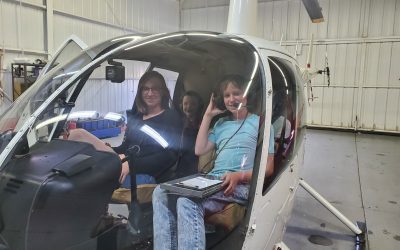
When I was working for a helicopter tour company, I had an opportunity for my kids to jump in and see the controls. I think I was just as excited as they were to get into one, haha.

Meteor Crater fun
They found some great ways to make it fun to learn about a big dent in the ground. And it sounds like they've updated the kids' area so we will have to check it out again
Dining chair fort
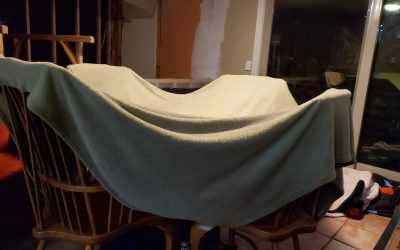
The kids loved using the dining chairs to build a fort

Soccer Summer
The summer Colton tried soccer and decided it wasn't really for him

My silly trampoline kid
This kid is always dressing up or creating a costume or plushie, so it's a common occurrence for him to be dressed up or have a plushie in his arms no matter where he is
Archery at Grandma & Grandpa’s
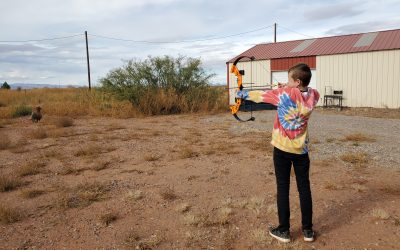
My grandparents live out in the boonies so it's a great place to practice our archery
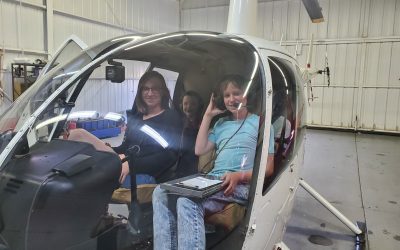
Checking out a helicopter
I worked for a helicopter tour company in Sedona for a while and so my kids got a chance to climb inside and take a look.
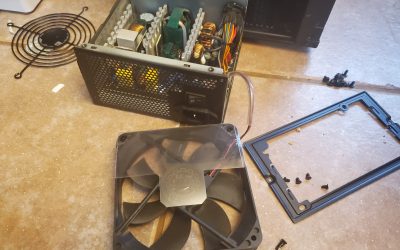
Replacing my Power Supply Unit
My PSU died and I ended up having to replace it. It was a good learning experience for everybody.

Rollerblading at Pioneer Park in Prescott AZ
Pioneer Park in Prescott has a roller hockey rink that they use for hockey games but it is also available for rollerblading and skating
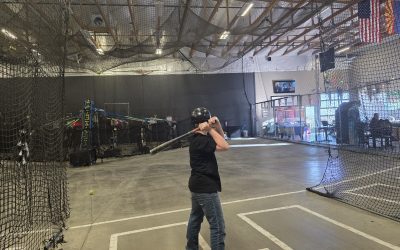
Batting Cages at Full Swing in Prescott AZ
Full Swing in Prescott Arizona has batting cages, arcade games, a trampoline bungee jump, and some snack foods. The last time I played softball was in high school, so it was fun to test out my skills. This is my 12 year old, who's never played on a team, trying it out.